An offline music player for the music files you own
Discata is a music player for iPhone that plays the files you own. It keeps its own copy of what you import, so your library plays without a connection. There is no streaming and no account.
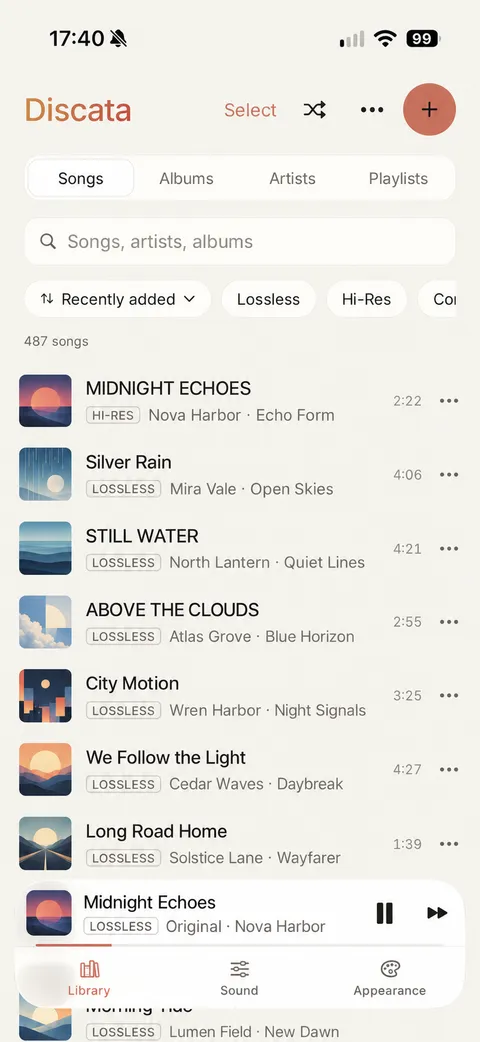
How to add your music
- In the Library tab, tap Import music.
- Choose files from the Files app or iCloud Drive.
- Discata keeps its own copy, so your library plays offline. You can also link a folder and keep it in sync.
No account is needed to import or play your music.
Offline by design
Discata does not need a connection to play your music. Once a song is in your library, it plays offline, wherever you are. The internet is used only for ads in the free version and for optional artwork and lyrics look-ups.
What your library gives you
Your library has songs, albums, artists and playlists. Quality badges show what each file really is: its codec, bit depth and sample rate, measured from the file.
- Gapless playback, crossfade and trim silence.
- A queue and Smart Shuffle.
- Background playback with lock-screen controls.
- Synced lyrics from the file, from a .lrc file, or from an opt-in online look-up.
- Themes, colours and fonts you can change.
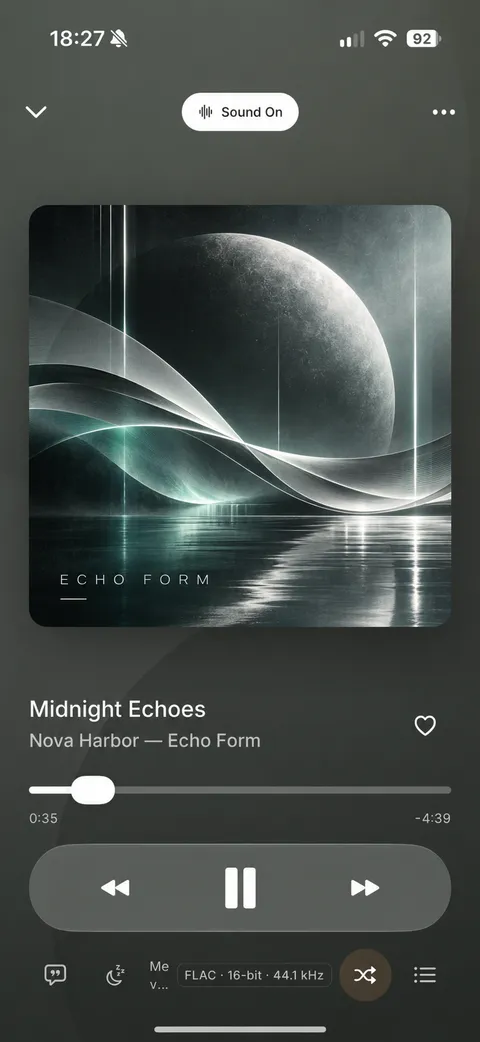
Shape the sound
Discata can shape the sound of your music. You can correct for your headphones, adjust the tone and place the music in a virtual room. All processing happens on the iPhone, and a Sound On / Original switch compares the result with the original file at the same loudness.
Even loudness without squashing the music
Modern masters differ in loudness by 10 dB or more. Track mode evens out shuffles and playlists; Album mode keeps the loud and quiet songs of an album as the artist intended.
−14 LUFS matches most streaming services; −16 is Apple’s level and leaves more headroom; −18 (ReplayGain) sounds the most dynamic but quietest.
It catches the rare peaks that EQ boosts or rooms push over the top, without audible pumping. If you hear distortion, lower the boosts rather than turning the limiter off.
What Discata does not do
- It is not a streaming service, and it has no music catalogue.
- It cannot import Apple Music or Spotify downloads, because they are protected.
- It is for iPhone only, running iOS 17 or later. There is no Android version, no iPad version and no CarPlay.
Free, with one short ad card
Discata is free to download and use. The free version shows one short ad card after about every 7 minutes of listening, only between songs. You can close it after 5 seconds, and the music keeps playing. A one-time purchase of £9.99 in the UK, not a subscription, removes ads permanently.
Read more about playing FLAC and other lossless files, or about the equaliser and headphone correction.
Bring your own music
Import your files from Files or iCloud Drive and play them offline.
Download on theApp StoreFree on iPhone. Requires iOS 17 or later. No account.